
Hexaly Studio 13.5

Discover the latest features in Hexaly Studio 13.5, our Low-Code Optimization Studio for developing, debugging, and running optimization applications.
What’s new
- Inspect View: You can now inspect variables in your program after an execution in a dedicated view.
- Inspect Widget: You can now inspect variables in a dashboard program thanks to a dedicated dashboard widget.
- Dashboard selection: You can now move and manipulate widgets with greater ease thanks to an improved selection system.
- Dashboard minimap: Navigation within a dashboard has been improved with a dedicated minimap.
- Open local folders: On Chromium browsers, you can now open local folders and work with files stored on your disk.
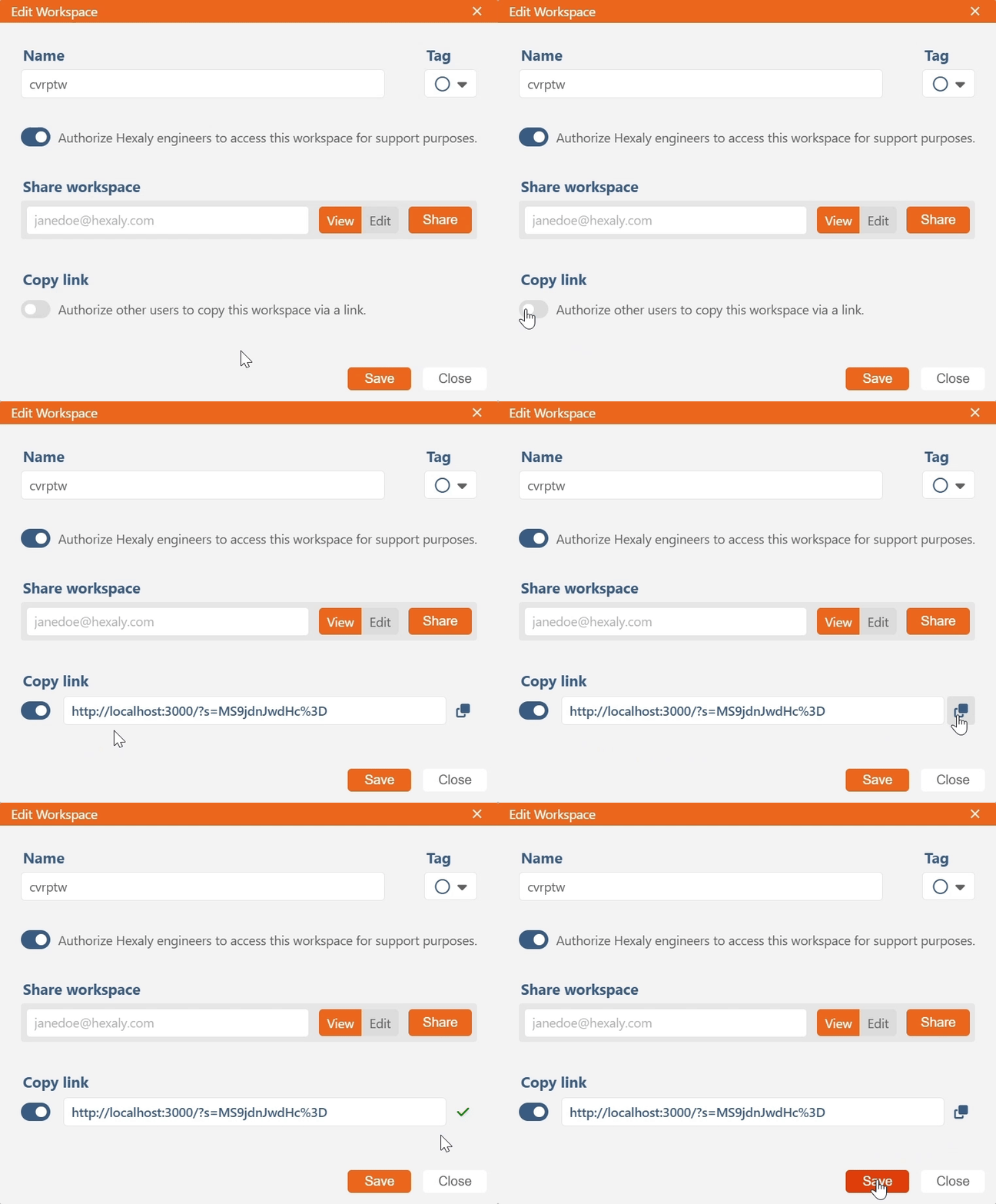
- Copy link: In the workspace editing tab, you can now authorize other users to copy your workspace via a link.
Inspect View
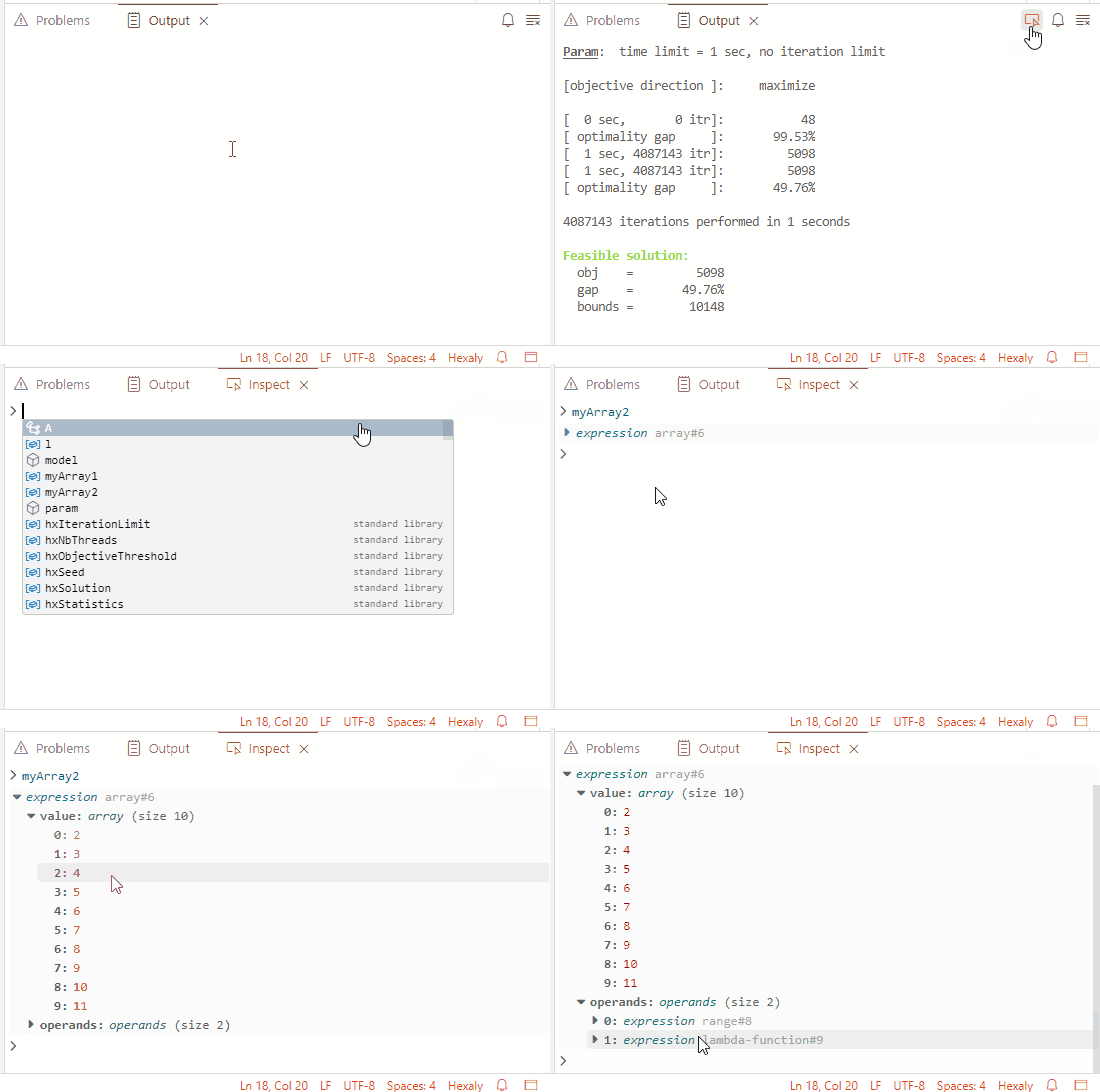
After the execution of an HXM program, the Output View toolbar now displays a new inspect button that opens the Inspect View. From this view, you can specify a variable identifier to inspect and explore the contents of the variable.
This view is available after the execution of a standalone HXM program or after the execution of a dashboard.
Inspect Widget
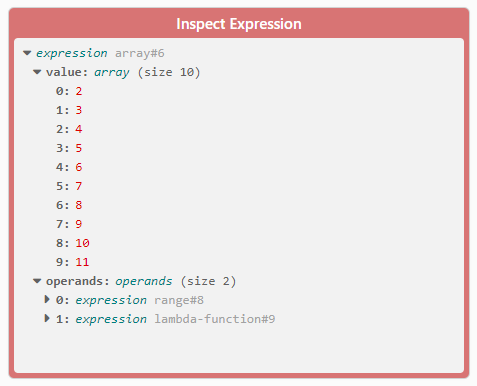
The inspection feature is also available through the new Inspect Expression widget in the widget palette. Specifying a variable identifier in this widget’s configuration will let you explore its contents.
Dashboard selection
The selection system in the dashboard has been reworked so that moving around multiple widgets is now easier. Copying and pasting a single widget or multiple widgets is also supported within a dashboard or between two different dashboards.

Dashboard minimap
A minimap can now be toggled within dashboards to facilitate the navigation when there is a large number of widgets. When enabled, the minimap appears at the bottom right corner of the dashboards and displays the viewport as well as the position of all widgets.
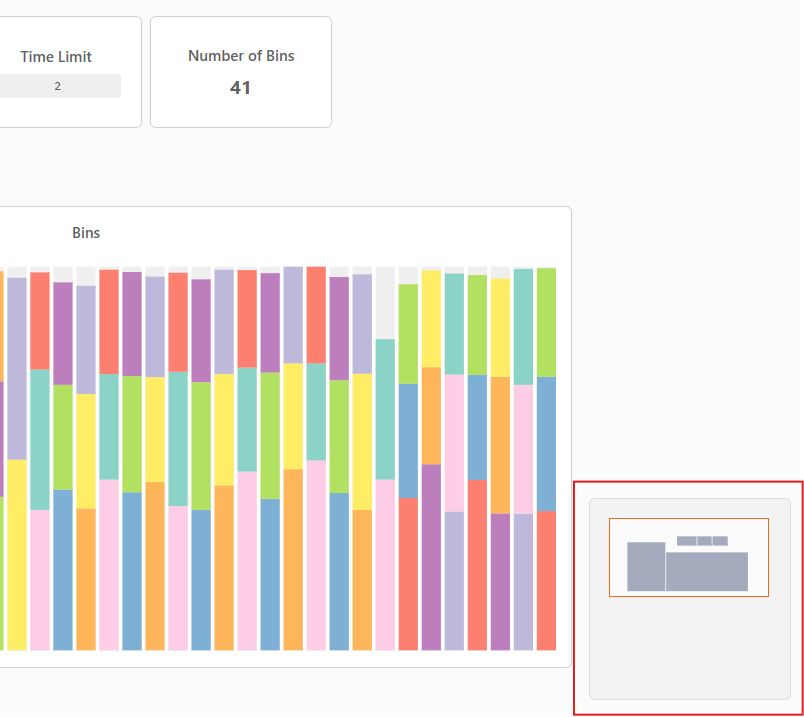
To enable the minimap in a dashboard, click on the toggle button in the dashboard toolbar.

Open local folders
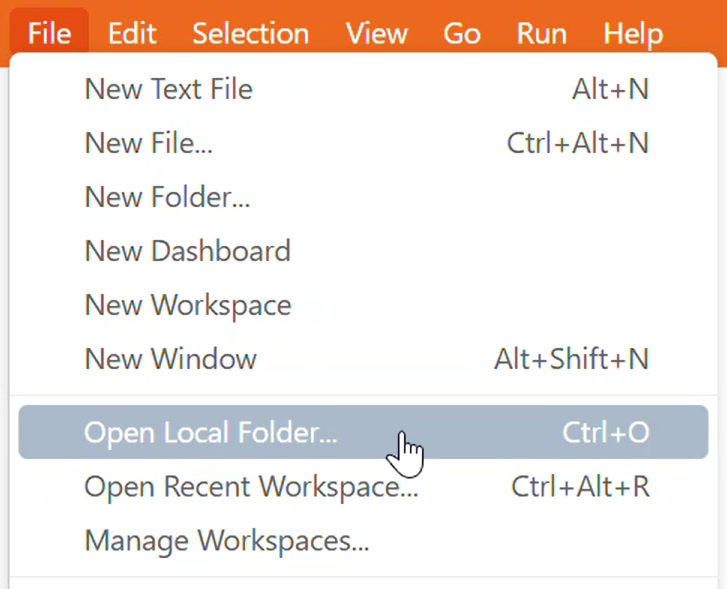
On Chromium-based browsers (e.g. Google Chrome, Microsoft Edge), it is possible to open local folders and work with files stored on your disk. This way, you can run the solver on local files without having to upload them to the cloud.
Copy link
In the workspace editing tab, it is now possible to authorize other users to copy your workspace via a link. This is particularly useful when you want to provide the same workspace to several people without them having to import the files manually.
Please note: don’t forget to save your changes by clicking on “Save” before sending the link to others!
Ready to start?
Discover the ease of use and performance of Hexaly through
a free 1-month trial, or enjoy free academic access.