
Installation on Linux
Here are described the main steps for installing and licensing Hexaly Optimizer on your computer. Hexaly Optimizer is implemented in C++ language. The software can be used either as a standalone executable or as a callable library (C++, Java, Python, .NET). Please check that your computer meets the minimum system requirements before installing the software.
System requirements
Architecture: x64, arm64
Operating systems: Linux with libc 2.28 (or superior) and libstdc++ 6.0.25 (or superior).
For the C++ library: GCC 6.1 (or superior) and C++11 (or superior).
For the Java library: Java 8 (or superior).
For the .NET library: .NET 6.0 (or superior).
For the Python library: Python 2.7, or Python >= 3.6.
The system should have at least 4 physical cores for nominal performance.
Installation
You must have administrator rights on your computer to install Hexaly Optimizer. If you haven’t done so yet, download Hexaly Optimizer for Linux from the Hexaly website.
Open a terminal as root where the archive Hexaly_14_5_20260121_Linux64.run is located.
Execute the following command line:
$ bash Hexaly_14_5_20260121_Linux64.run
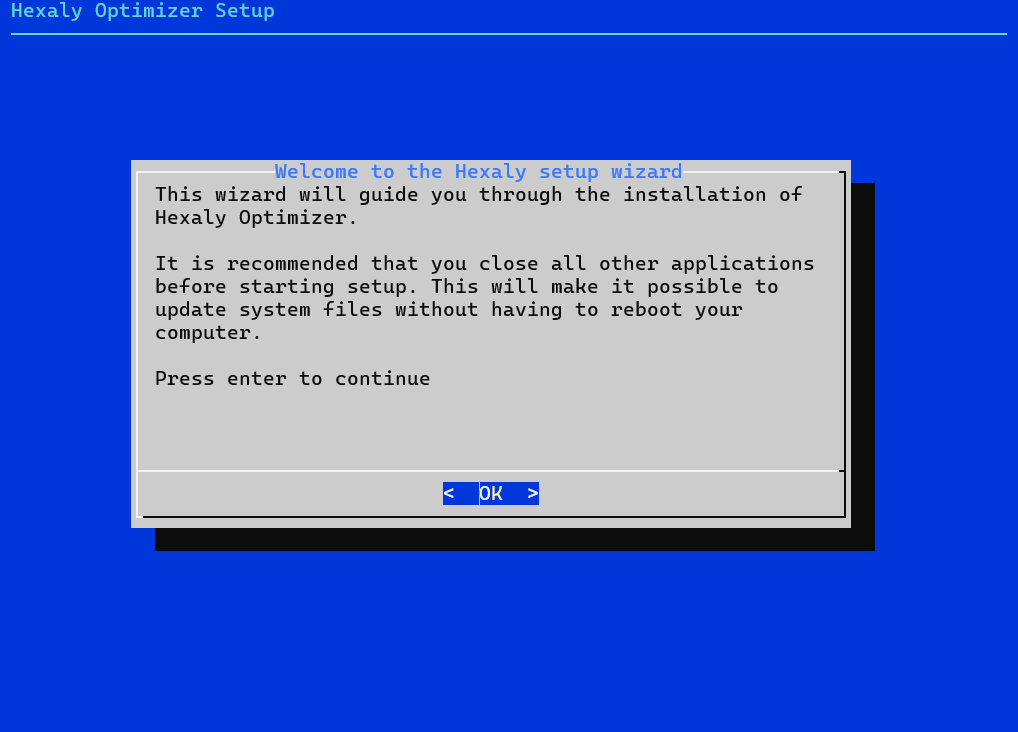
Press enter to continue.
Choose the install location of Hexaly Optimizer and press enter to start the
installation. Note that you can install different versions of Hexaly Optimizer
on your system but only the last installed version will be easily accessible
from the command line. To use the previous ones, you have to use their exact
path (e.g. /opt/hexaly_14_5/bin/hexaly). Furthermore, you
will experience troubles if you try to use the native C library without
modifying environment variables such as LD_LIBRARY_PATH.
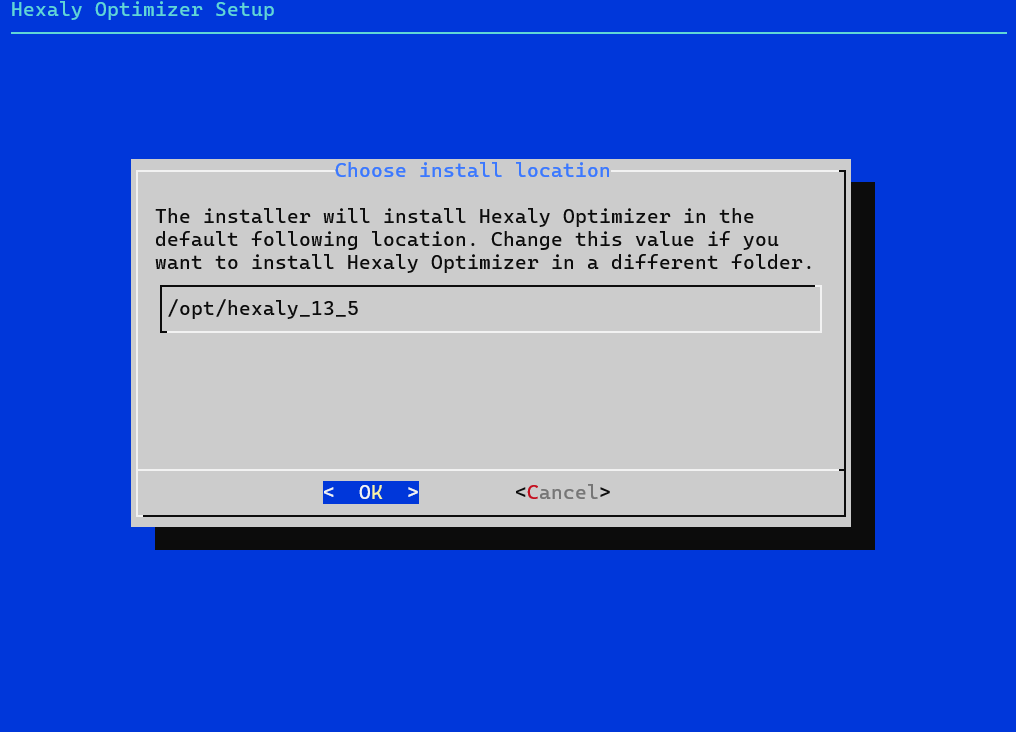
Choose the install location of Hexaly Optimizer.
The installer offers other installation options, detailed with --help flag :
$ ./Hexaly_14_5_20260121_Linux64.run --help
Usage: ./Hexaly_14_5_20260121_Linux64.run [options]
with following options
  --help                Print this message
  --list                Print the list of files in the archive
  --check               Checks integrity of the archive
  --noroot              Disable installation features that require root access
  --target directory    Install Hexaly Optimizer in the given directory
  --nointeractive       Install without any user intervention (no prompt)

Note on --noroot: Hexaly Optimizer by itself does not require root privileges
but the installer needs them to put symbolic links in /usr/bin and /usr/lib
directories. If you use the --noroot option, you may encounter difficulties to
run or compile programs based on Hexaly Optimizer except if you can deal with
LD_LIBRARY_PATH environment variable or if you add the symoblic links manually.

Note on --target: The content of this archive will be copied in the given
directory. Thus, if you want to install Hexaly Optimizer in /usr/local/hexaly,
you have to specify --target /usr/local/hexaly on the command line.
Licensing for: Free Trial, Free Academic, Desktop or Server licenses
Note
If you don’t have your license yet, please go to our website to register and request a free academic license or a free trial license. As licenses are manually delivered by a member of the Hexaly team, the whole procedure can take a few days to complete (usually 1 day).
You simply have to put the correct license file in the installation folder of Hexaly Optimizer. For that:
Go on Hexaly website, login on your account and download your license file.
Copy the file
license.datdownloaded from your account in /opt/hexaly_14_5/.
Alternative license locations
If you want to use several licenses on the same machine, or if you have no write access to the default license location, you can specify a different license path. Hexaly will look at the following locations for a valid license file, in that order:
The file the
HX_LICENSE_PATHenvironment variable points to.In the current directory, if a file named
license.datis present.In the default location, /opt/hexaly_14_5/license.dat.
The Hexaly API provides methods to set the license path. To use it, please consult the documentation for your programming language:
In python
HxVersion.set_license_path()In C++
HxVersion::setLicensePath()In .NET
HxVersion.SetLicensePath()In Java
HxVersion.setLicensePath()
License content can also be provided through a HX_LICENSE_CONTENT
environment variable or using Hexaly API:
In python
HxVersion.set_license_content()In .NET
HxVersion.SetLicenseContent()In Java
HxVersion.setLicenseContent()
The license content will have priority over the license file.
Testing
Open a terminal in folder /opt/hexaly_14_5/ and enter the following line:
$ hexaly examples/toy/toy.hxm hxTimeLimit=1
If no error occurs, you are ready to use Hexaly Optimizer and solve your first model.
Uninstall Hexaly Optimizer
You must have root privileges on your computer to uninstall Hexaly Optimizer. Then, uninstall Hexaly Optimizer in 2 steps:
Open a terminal as root and navigate to /opt/hexaly_14_5/
Execute the following command line:
bash uninstall.sh